

3·
11 months agoThere’s really compelling open source models like Zonos coming out; ElevenLabs will need to figure out how to thread the needle to keep everyone happy while other solutions eat into the pie.
There’s really compelling open source models like Zonos coming out; ElevenLabs will need to figure out how to thread the needle to keep everyone happy while other solutions eat into the pie.

If you can serve content locally without tunnel (ie no CGNAT or port block by ISP), you can configure your server to respond only to cloudflare IP range and your intranet IP range; slap on the Cloudflare origin cert for your domain, and trust it for local traffic; enable orange cloud; and tada. Access from anywhere without VPN; externally encrypted between user <> cloudflare and cloudflare <> your service; internally encrypted between user <> service; and only internally, or someone via cloudflare can access it. You can still put the zero trust SSO on your subdomain so Cloudflare authenticates all users before proxying the actual request.
deleted by creator

Yep! Give granite a try. I think that would be perfect for this use case both in terms of able to answer your queries and doing them quickly, without a GPU by just using modern CPU. I was getting above 30 tokens per second on my 10th gen i5, which kind of blew my mind.
Thinking models like r1 will be better at things like troubleshooting a faulty furnace, or user problems, so there’s benefits in pushing those envelopes. However, if all you need is to give basic instructions, have it infer your intent, and finally perform the desired tasks, then smaller mixture of experts models should be passable even without a GPU.
Deepseek referred here seems to be v3, not r1. While the linked article didn’t seem to have info on parameter size, fact that they state it is sparse MoE architecture should suggest it is capable to run pretty quick (compared to other models of similar parameter space), so that’s cool.
Depending on what you want to do with it, and what your expectations are; the smaller distilled versions could work on CPU, but most likely will need extra help on top, just like other similar sized models.
This being a reasoning model, you might get a more well thought out results out of it, but at the end of the day, smaller parameter space (easiest to think as ‘less vocabulary’), smaller capabilities.
If you just want something to very quickly chat back and forth with on a CPU, try IBM’s granite3.1-moe:3b, which is very fast even on a modern CPU, but doesn’t really excel in complex problems without additional support (ie: RAG or tool use).
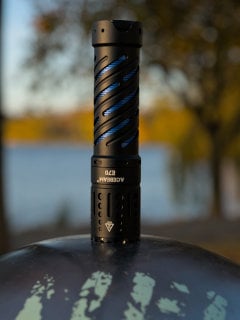
Shipping address appears to be US only. Oh well.

More than once I’ve heard the jokingly saying that ‘everything causes cancer in the state of California’ (regardless if they bore the warning label or not). I think while the intention may be good, the equivalent of notification fatigue is at play here and might not be delivering intended benefit/value.

I wonder if it’s more because they’re hitting capacity limits as result of physical limitations of memory on package design — physical distance resulting in potentially unbalanced performance due to some memory simply doesn’t have physical space that could deliver consistent performance, thus limiting capacity as an idea that crossed my mind.
So less so of a “it’ll be more performant” thing, but “this was great but we have to back paddle because we need more memory than the space could permit” kind of thing?
That awkward moment when it doesn’t support iPhone Safari…
Strictly speaking, they’re leveraging free users to increase the number of domains they have under their DNS service. This gives them a larger end-user reach, as it in turn makes ISPs hit their DNS servers more frequently. The increased usage better positions them to lead peering agreement discussions with ISPs. More peering agreements leads to overall cheaper bandwidth for their CDN and faster responses, which they can use as a selling point for their enterprise clients. The benefits are pretty universal, so is actually a good thing for everyone all around… that is unless you’re trying to become a competitor and get your own peering agreement setup, as it’d be quite a bit harder for you to acquire customers at the same scale/pace.
Locks can happen by registrar (I.e.: ninjala, cloudflare, namecheap etc.) or registry (I.e.: gen.xyz, identity digital, verisign, etc.).
Typically, registry locks cannot be resolved through your registrar, and the registrant may need to work with the registry to see about resolving the problem. This could be complicated with Whois privacy as you may not be considered the registrant of the domain.
In all cases, most registries do not take domain suspensions lightly, and generally tend to lock only on legal issues. Check your Whois record’s EPP status codes to get hints as to what may be happening.
Approx 35k power on hours. Tested with 0 errors, 0 bad sectors, 0 defects. SMART details intact.
That’s about 4 years of power on time. Considering they’re enterprise grade equipment, they should still be good for many years to come, but it is worth taking into consideration.
I’ve bought from these guys before, packaging was super professional. Card board box with special designed drive holders made of foam; each drive is also individually packed with anti-static bags and silica packs.
Highly recommend.
A lot of devs I know are purely ticket in ticket out… so unless someone convinced management there’s a performance problem and that they’d need to prioritize it over new features (good luck), then it will not be done.

No. The law requires them to treat all browsers the same. If they allow it for Safari, they must implement API for all. Given the absolutely abysmal user base that actually uses PWAs, it’s no surprise they deprioritized that feature and just deprecate it for all.
Just like the cookie law and GDPR, the intention of DMA might be good but the implementation is going to create a gong show … and frankly I can’t wait for it to begin.
Changing port is security by obscurity and it doesn’t take much time for botnets to scan all of IPV4 space on all ports. See for example the ever updated list that’s available on Shodan.
Disable password login and use certificates as you’ve suggested already, add fail2ban to block random drive-bys, and you’re off to the races.
Companies need money to pay their employees. Who would’ve thunk they’d change the licensing to allow them to make money. -surprised pikachu face-
Not a space I’m familiar with, but a friend of mine was all over Habitica and mentioned you could self host it. Is this something that might fit what you’re looking for?
Multiple compose file, each in their own directory for a stack of services. Running Lemmy? It goes to ~/compose_home/lemmy, with binds for image resized and database as folders inside that directory. Running website? It goes to ~/compose_home/example.com, with its static files, api, and database binds all as folders inside that. Etc etc. Use gateway reverse proxy (I prefer Traefik but each to their own) and have each stack join the network to expose only what you’d need.
Back up is easy, snapshot the volume bind (stop any service individually as needed); moving server for specific stack is easy, just move the directory over to a new system (update gateway info if required); upgrading is easy, just upgrade individual stack and off to the races.
Pulling all stacks into a single compose for the system as a whole is nuts. You lose all the flexibility and gain… nothing?
Works very well on vanilla docker compose as well. Annotate containers with labels and it will wire itself up automagically. It’s wonderful.